2022 · Whole-site journey and practice
Follow educational setup without registering a company
Understand the setup, verification and overview pages as an educational handoff, not identity allocation.
Open a workspace beside this lesson. Protected links keep their existing access gates; no new permission is granted by this course.
Why this matters
Onboarding is where a believable sample can accidentally become an asserted company deployment. The setup must keep those meanings separate.
A role, facility or workflow description is useful before a physical unit is confirmed, but missing assignment and review evidence must remain explicit.
Read the screen with the explanation
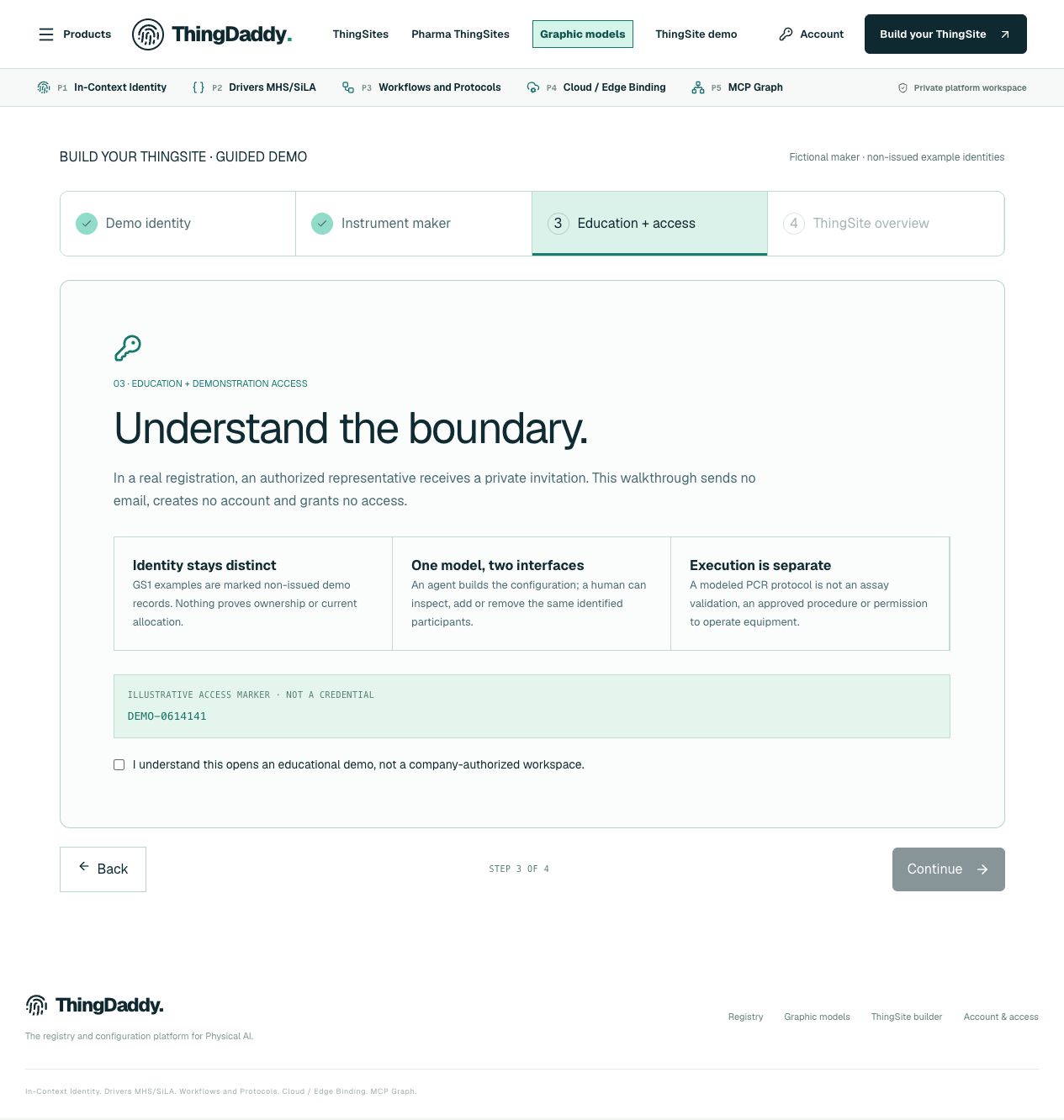
Earlier anonymous demonstration capture · Earlier local anonymous educational preview; not current physical execution or hosted acceptance · not evidence that this exercise has been performed. Open the image for full resolution.
Screenshot provenance
SHA-256 69eeb0f4c3f55a5a2eadf956fa2e4809adc3d0f020e01218089d4d2cb3505709Captured 2026-10-13T06:05:28.097Z. Source-package pin: 2f78a982141bda51ba64ea8ccb3a07f527eec3f77cf89baaa1f05c102197f6fd. Original screenshot bytes preserved.
Step by step
01 Read the educational route
Screen or control: Build a ThingSite and the demo setup page
Why: The label “build” can describe a local teaching flow or an authorized customer editor; those are not interchangeable.
How: Open the educational build route if your account is authorized. Read its non-issued and no-access-grant boundary before entering any practice role.
What you should see: You understand that the setup uses demonstration context.
Verify: Do not replace the sample prefix with a guessed customer prefix.
02 Review the proposed context
Screen or control: Setup fields and overview handoff
Why: A plausible role or location does not supply allocation or company authority.
How: Inspect the retained key types and the stated scope. Keep absent authorization, local site binding and identity verification in your exercise notes.
What you should see: You have a description of a proposed educational context, not a real installation.
Verify: Check that no “verified unit” or “company approved” conclusion was introduced.
03 Use the overview as a navigation handoff
Screen or control: Demo overview and its pillar links
Why: The overview is useful because the same context can be explored from several pillars. It is not a completion certificate.
How: Continue to the anonymous public pillar pages. Compare the identity, capability, procedure, environment and graph views without changing their identifiers.
What you should see: The five views describe one sample composition.
Verify: Record which evidence is present and which is still missing.
What is happening under the surface
The fixed demonstration prefix 0614141 comes from the retained sample. It is not a new customer allocation.
Setup describes a proposed participant role and operating context. Issuance, company access, reviewed publication and commissioned execution have separate gates.
Common mistakes
- Treating a successful form as GS1 issuance.
- Calling the demonstration namespace a newly allocated company prefix.
The records an agent needs
Treat setup output as a proposed context. Identity issuance and authorization remain false or unknown; an overview link is not a provenance-bearing customer decision.
Exact retained identities
urn:epc:id:giai:0614141.4Anonymous package occurrence pointers
#/P1/prefixEvidence#/P4/deploymentGatesFields or record paths to inspect
issuedcustomer_reviewdeploymentPerformedexecutionAuthorizedPointers locate records; hashes pin bytes; lesson numbers locate teaching material. None substitutes for an applicable assigned GS1 identity.
Apply what you learned
Prepare a handoff note for a client moving from the educational setup to P1.
Prepare these outputs
- The demonstration scope.
- A list of the separate real-customer evidence requirements.
- Links to the five anonymous pillar pages.
Review your work against these checks
- No real company is named or assigned.
- Unknown authority is still unknown.
- The note distinguishes setup from commissioning.
Check your reasoning
Does completing the demo setup create a customer ThingSite allocation?
This answer stays in page memory, is cleared when you leave, and is not sent or recorded as certification, validation or authority.Source and current boundaries
Setup uses its existing access gate; verification is a conditional one-time-token handoff, not a bare-page setup exercise. Account access remains unchanged.
Reading, answering a question and opening a diagram do not issue identifiers, validate a scientific method, establish company authority, commission an environment or authorize physical action.